Forum Discussion


hkim5 Staff
Staff
6 years agoStaffalso worth mentioning is to make sure that TestComplete 14 service is running on those execution machines (you can also check by going into "services") you can check the documentation here to troubleshoot to see if there are firewall rules or antiviruses that are preventing that service from running on your execution nodes

Irvingoliveira
6 years agoOccasional Contributor
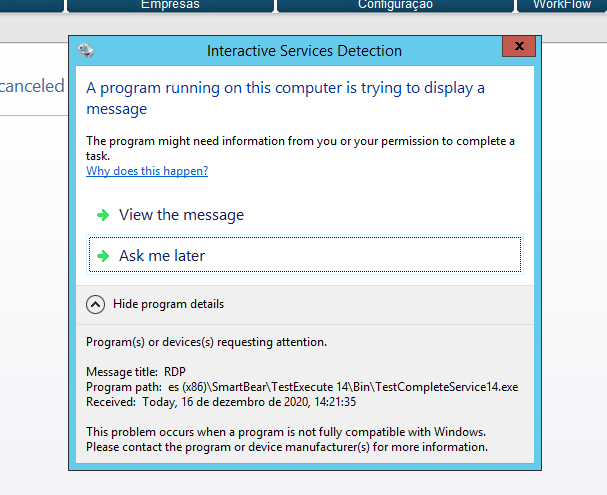
I did most of your suggestions and it still not working. I'm applying the firewall rules now, but I think that is not the problem, because, if I log in those machines by RDP and start the tests in jenkins, it works. That is, I think that the problem occurs when jenkins tries to create an interactive session.
The services were configured correctly like your suggentions, but, the executable's permissions not. I adjusted it, but, it still not working.
When I create the firewall rules and test it, I come back here to post the result.
Thanks!
- Irvingoliveira6 years agoOccasional Contributor
Hello again, hkim5!
I changed the firewall rules as the document that you posted suggents and it still not working. Would you have any other ideias? Because I don't know what to do anymore.
Thanks a lot!
- Irvingoliveira6 years agoOccasional Contributor
I found something in one of those machines. It's about a certificate. The screenshots are attached.
- hkim56 years ago
ok did some more digging as a last ditch effort before we suggest a support ticket for the trace logs and etc.
have you seen this doc here - specifically related to enabling remote desktop connections, configuring group policies, and disabling secure sign in?
depending on the windows OS that your jenkins execution nodes are on, you will need to go into the group policy editor to modify/enable/disable certain policies. (sounds like a security issue, so im guessing this is going to be related to #3 item within the configure group policies articles in the linked doc above)
.png)