Forum Discussion


pradeepdli
10 years agoOccasional Contributor
Hello Leandro de Araújo Souza
Different text fields are displaying in the pop up message box it showing with in second we want to test the mesage is correct
We are testing C# .Net windows application(Devexpress 14.2).Pop-up message screen shot is attached.


leandroaraujoso
10 years agoContributor
Please send a screenshot of the complete hierarchy of the in the Testcomplete Object Browser. You can do that with the the help of Object Spy.
Regards,
Leandro de Araújo Souza
- pradeepdli10 years agoOccasional Contributor
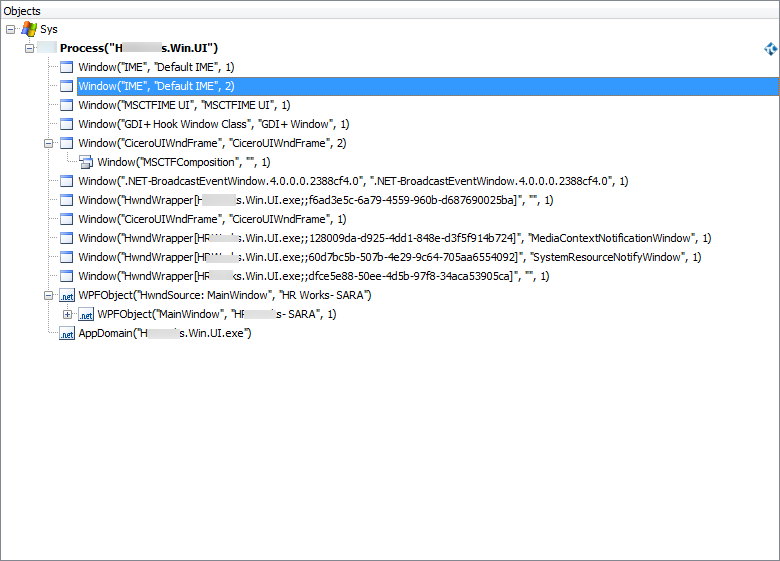
We are not sure about which screenshot we need to provide you for reference. Hope the attached one is what you have asked to provide. Also kindly note that the message box dissapears within seconds that we are not able to capture the related properties/ script using object spy. Another doubt we have is regarding how to use object spy while recording (which is not available on the recording tool bar)
- Vivek7210 years agoContributor
Hello Pradeep
I am not sure if you tried this but I think you would be able to capture the object and look into properties using 'Point And Fix' option of Object Spy. I would suggest you to open Object spy first and activate 'Point And Fix'. Then perform the action that generates the popup message box in your application. Now you should be able to point on the popup window and Click (Shift+Cntrl+A) and have an access to its properties and Text associated to it. I hope this works for you.
- pradeepdli10 years agoOccasional Contributor
Hi Vivek,
Many thanks for your reply on the following thread . We tried the way you advised and could get the properties of the text box. Next thing we would like to know is how to turn that into a checkpoint.
Please find attached the following for your perusal:
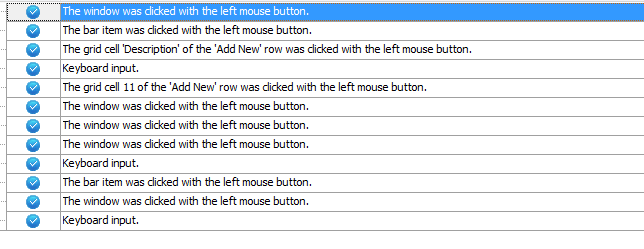
1. Test log (Log is not showing any details associated with message box)
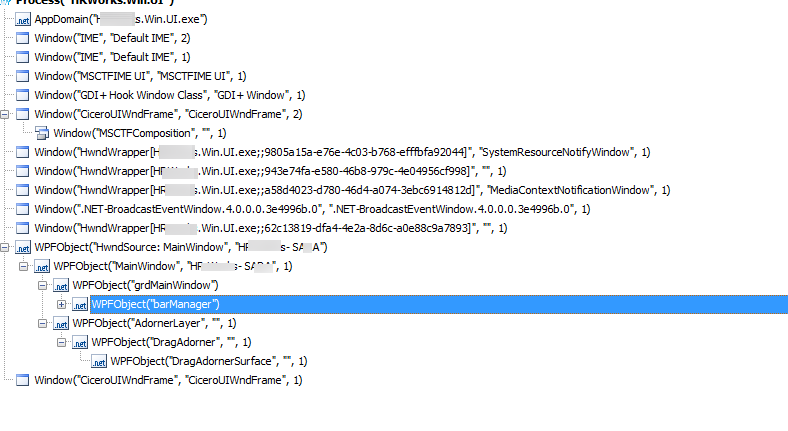
2. Object hirearchy of AUT
Request you to kindly help us on this.