How to hide TestComplete window while UserForms is executed?


 Champion Level 3
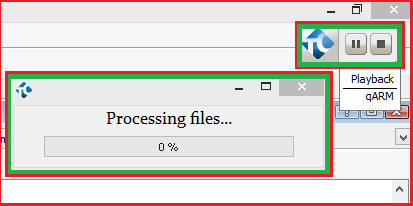
That's the indicator: http://support.smartbear.com/viewarticle/55569/
Use Hide to get rid of it and Show to get it back: http://support.smartbear.com/viewarticle/59046/

Unfortunately I've use not correct screenshot, updated: must be visible only userforms, without TestComplete at backgrioud (except indicator of the test running state)
Champion Level 3Try this then: http://support.smartbear.com/viewarticle/56530

 Alumni
Hi,
You will need to hide the Indicator window as well as the user form window. Marsha_R mentioned the method for Indicator. Here is the method for the UserForm object: http://support.smartbear.com/viewarticle/56742/