syedhasan
14 years agoNot applicable
Accessing dropdowns within Powerbuilder DataWindow control.
I am currently in the process of automating a legacy Powerbuilder application. I have added the "pbdw*" and "*" window classes to the list of accepted MSAA windows, which gives me access to most of the controls in the DataWindow, but not the DropDown control or the ComboBox control.
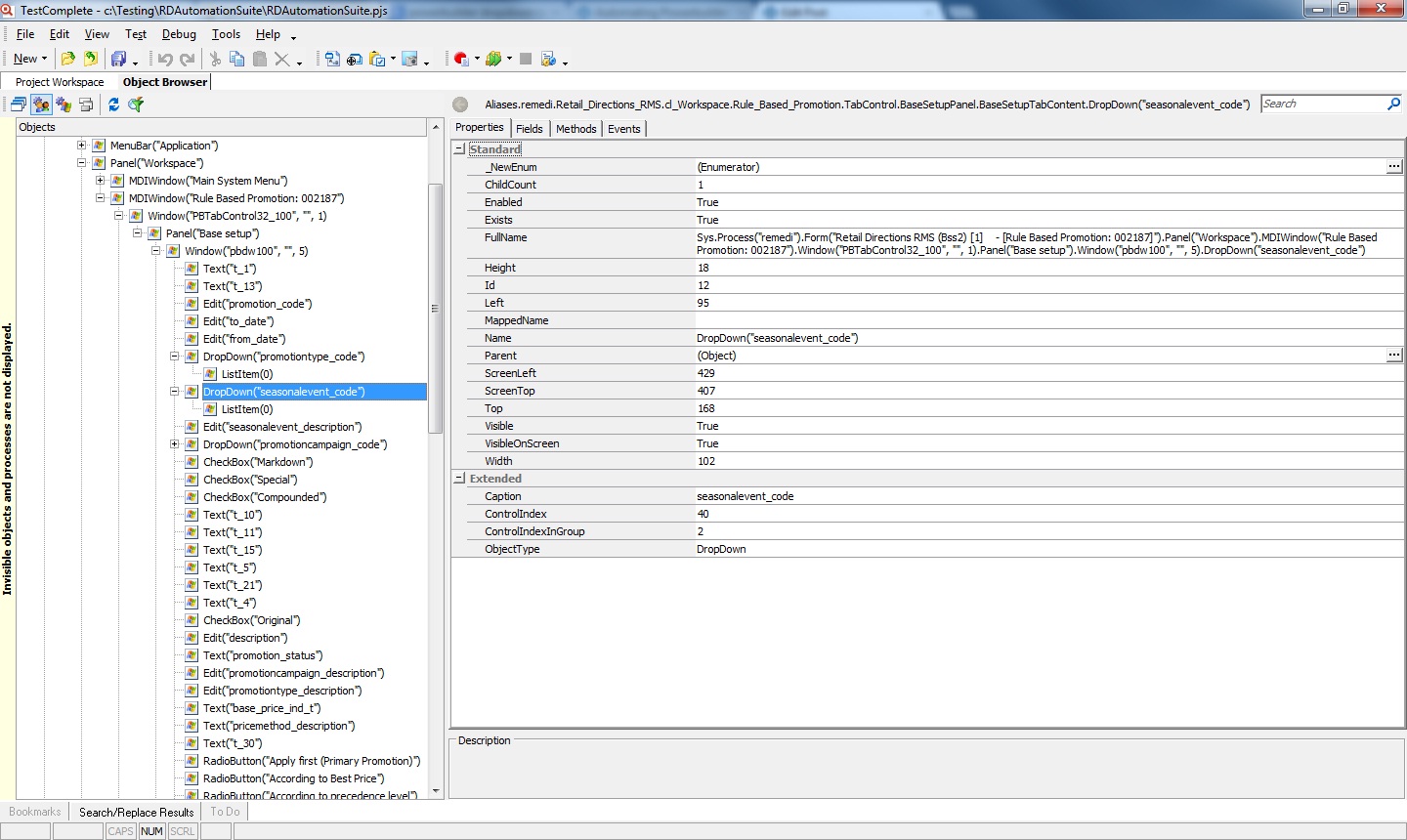
The control is identified as DropDown or ComboBox,and has only one child ListItem. I donot see a SelectedItem value nor am able to get a list of all the child ListItems. Is there a solution for this?
I have attached a screenshot of the Object browser window to show what I mean.
Thanks in advance.
The control is identified as DropDown or ComboBox,and has only one child ListItem. I donot see a SelectedItem value nor am able to get a list of all the child ListItems. Is there a solution for this?
I have attached a screenshot of the Object browser window to show what I mean.
Thanks in advance.