JHuizinga
12 years agoNew Contributor
[Resolved] SoapUI windows are gray on start up
Hello,
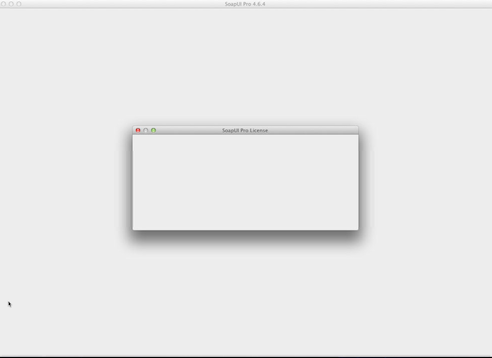
I'm trying to install SoapUI Pro 4.6.4 on one of our machines, but I'm running into some problems. It's a fresh installation, and the first time that SoapUI is installed on the machine. Throughout the installation and also after, every window of SoapUI that opens is completely grey (see the first attachment). Only when I resize the window it shows the content. For every change I make in the window, I also need to resize it in order for the change to take effect in the UI. It seems to be some kind of redrawing issue.
The following errors also appear in the Console:
JavaApplicationStub: CGContextGetCTM: invalid context 0x0
JavaApplicationStub: CGContextSetBaseCTM: invalid context 0x0
This is the environment:
Mac OS X 10.7.5
Java version 1.6.0_65
From looking around I understood that the "invalid context 0x0" error occurs more often with Java issues, but every situation in which it arises seems to be different and in need to a specific solution.
If there is any relevant information I'm missing, please let me know.
I'm trying to install SoapUI Pro 4.6.4 on one of our machines, but I'm running into some problems. It's a fresh installation, and the first time that SoapUI is installed on the machine. Throughout the installation and also after, every window of SoapUI that opens is completely grey (see the first attachment). Only when I resize the window it shows the content. For every change I make in the window, I also need to resize it in order for the change to take effect in the UI. It seems to be some kind of redrawing issue.
The following errors also appear in the Console:
JavaApplicationStub: CGContextGetCTM: invalid context 0x0
JavaApplicationStub: CGContextSetBaseCTM: invalid context 0x0
This is the environment:
Mac OS X 10.7.5
Java version 1.6.0_65
From looking around I understood that the "invalid context 0x0" error occurs more often with Java issues, but every situation in which it arises seems to be different and in need to a specific solution.
If there is any relevant information I'm missing, please let me know.