Forum Discussion


Crazy_Chris
9 years agoOccasional Contributor
Hi PaulMS and thanks for your examples.
What I really would like is to parameterize the header value and resource path in the same way, but under the Projects structure and not on every single Test under the SoapUI structure.
But I cannot seem to get to any of the data elements that way.
Right now I am building a testsuite that will be included in an automated build pipeline to do a health check of all the services, so it works even though the scope right now is small.
But I see problems when something changes that I have to manually edit every single value on each Test affected as the values are not defined in the Project/Library, but as a reference in each Test to the value extracted.
I might have done this wrong but I cannot for the life of me figure out anyway to accomplish this in Project/Library section or one place in a Test to pass the the rest of the Tests in that TestCase/TestSuite.

PaulMS
9 years agoSuper Contributor
You can create header parameters at the resource level to set a default value for the authentication token. The default value can be a project or test suite property that only needs to be set once for many test steps.
Can you show an example or image of the project structure and the parameters you want to set?
- Crazy_Chris9 years agoOccasional Contributor
I have not been able to figure out any meaningful way to set any default values other than static ones from the project side, it cannot be a static value as the access_token refreshes x times an hour so it needs to be gathered from the Test that runs it.
There is as far as I can tell no way to link from the project side to the test side to gather information.
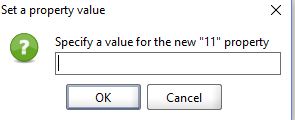
You can use get data but you can only set new properties with static values as far as I can tell from the project parameters.
On a site note.
Just recovering from a problem with all of the Git settings getting deleted without my knowledge, and 2 days ago when I had a conflict with one project file stating it was in use nothing had been pushed up for a month. Of course SoapUI didn't give any error message that the Repository URL was empty, something I would assume it would do when I click OK on "share changes through VCS"...This is not relevant to this thread really, just stating that I haven't had a chance to look further into the parameterizing issue because I just solved this 30 mins ago.
- PaulMS9 years agoSuper Contributor
Custom properties at the project level can be dynamic using a property transfer test step.or property expansion.
https://support.smartbear.com/readyapi/docs/soapui/steps/property-transfer.html
Property transfer maybe easier.
https://support.smartbear.com/readyapi/docs/testing/properties/expansion.html
Property Expansion | ReadyAPI Documentation
To refer to properties in other test suites or test cases, use the full "path" to specify the desired scope.
The "path" part is enclosed in square brackets.
${#[Suite name#Case name#Step name]#Property name}
Example
The value for project property IdentifierValue could be set to
${#[Suite name#Case name#Step name]#Response#$..Id[0]}even though Get Data dialog is not available.