Forum Discussion


jeffdafoe
14 years agoNew Contributor
Hello,
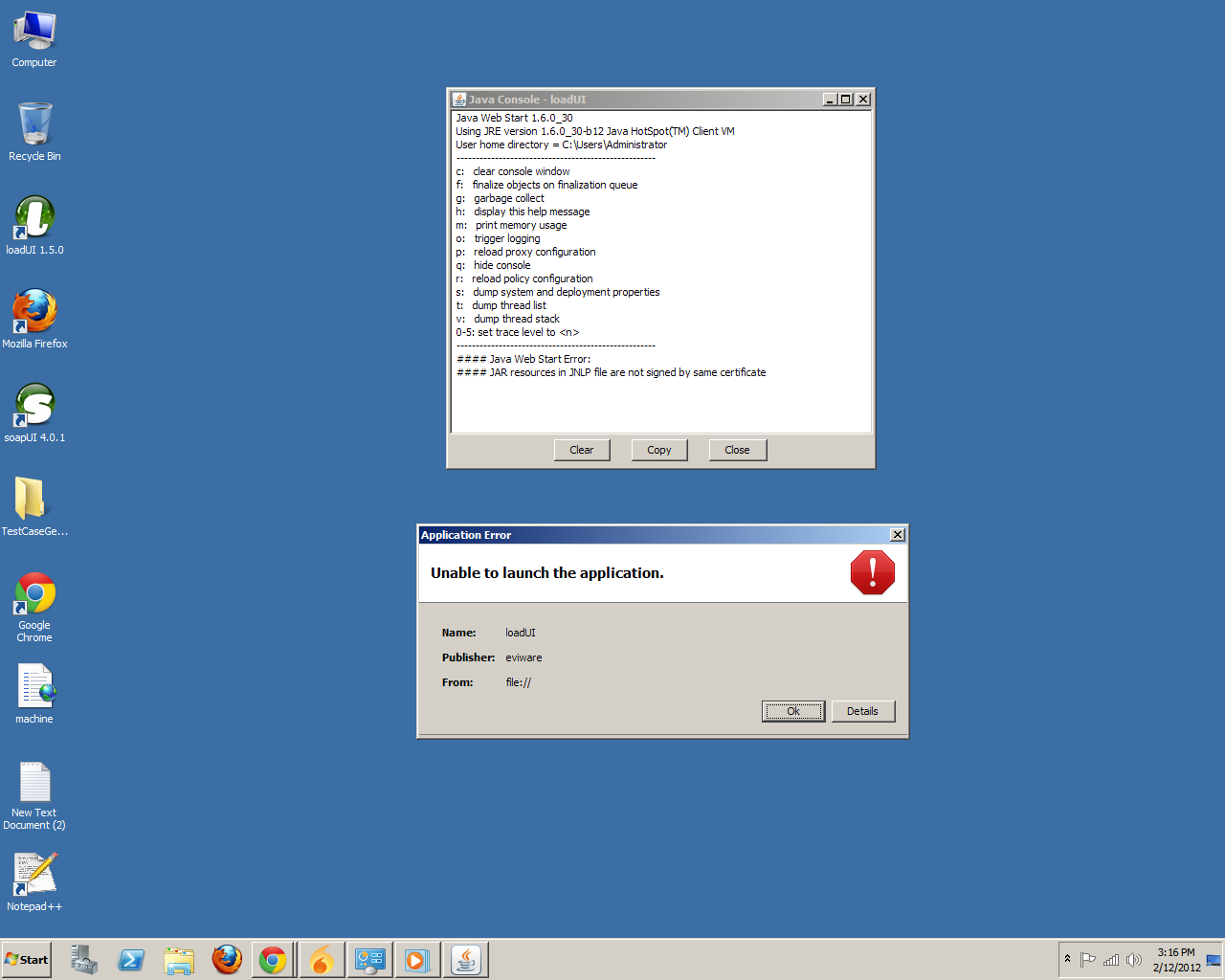
I'm having no luck getting LoadUI to start under WinXP 32 bit. SoapUI starts with no issues. I just downloaded LoadUI for the first time 2 days ago. I've tried the steps here viewtopic.php?f=10&t=12630&start=15#p31062 and also nekosan's Win7 steps, with no luck. When I start LoadUI I first get the Java7 splash screen, then the FX cert error, then "Unable to launch this application" with the following exception:
JNLPException[category: Launch File Error : Exception: null : LaunchDesc:
<jnlp spec="1.0+" codebase="http://dl.javafx.com/1.3/" version="1.3.1_b101" href="http://dl.javafx.com/1.3/javafx-rt.jnlp">
<information>
<title>JavaFX Runtime</title>
<vendor>Oracle Corporation</vendor>
<homepage href="null"/>
<offline-allowed/>
</information>
<security>
<all-permissions/>
</security>
<update check="background" policy="always"/>
<resources>
<jar href="http://dl.javafx.com/1.3/progressbar__V1.3.1_b101.jar" download="progress" main="false"/>
<jar href="http://dl.javafx.com/1.3/javafx-rt-windows-i586__V1.3.1_b101.jar" part="javafx-rt" download="eager" main="false"/>
<jar href="http://dl.javafx.com/1.3/javafx-rt-lazy-windows-i586__V1.3.1_b101.jar" part="javafx-rt" download="lazy" main="false"/>
<jar href="http://dl.javafx.com/1.3/javafx-rt-fonts-windows-i586__V1.3.1_b101.jar" part="javafx-rt" download="lazy" main="false"/>
<nativelib href="http://dl.javafx.com/1.3/javafx-rt-natives-windows-i586__V1.3.1_b101.jar" part="javafx-rt" download="eager" main="false"/>
<nativelib href="http://dl.javafx.com/1.3/jmc-natives-windows-i586__V1.3.1_b101.jar" part="javafx-rt" download="eager" main="false"/>
</resources>
<component-desc progress-class="com.javafx.progressbar.ProgressManager"/>
</jnlp> ]
at com.sun.javaws.security.JNLPSignedResourcesHelper.checkSignedResourcesHelper(Unknown Source)
at com.sun.javaws.security.JNLPSignedResourcesHelper.checkSignedResources(Unknown Source)
at com.sun.javaws.Launcher.prepareResources(Unknown Source)
at com.sun.javaws.Launcher.prepareAllResources(Unknown Source)
at com.sun.javaws.Launcher.prepareToLaunch(Unknown Source)
at com.sun.javaws.Launcher.prepareToLaunch(Unknown Source)
at com.sun.javaws.Launcher.launch(Unknown Source)
at com.sun.javaws.Main.launchApp(Unknown Source)
at com.sun.javaws.Main.continueInSecureThread(Unknown Source)
at com.sun.javaws.Main$1.run(Unknown Source)
at java.lang.Thread.run(Unknown Source)
I can try any additional steps and provide any other information that might help me get LoadUI to work. I'm eager to try out the software and see what it can do.
Thanks,
-Jeff
I'm having no luck getting LoadUI to start under WinXP 32 bit. SoapUI starts with no issues. I just downloaded LoadUI for the first time 2 days ago. I've tried the steps here viewtopic.php?f=10&t=12630&start=15#p31062 and also nekosan's Win7 steps, with no luck. When I start LoadUI I first get the Java7 splash screen, then the FX cert error, then "Unable to launch this application" with the following exception:
JNLPException[category: Launch File Error : Exception: null : LaunchDesc:
<jnlp spec="1.0+" codebase="http://dl.javafx.com/1.3/" version="1.3.1_b101" href="http://dl.javafx.com/1.3/javafx-rt.jnlp">
<information>
<title>JavaFX Runtime</title>
<vendor>Oracle Corporation</vendor>
<homepage href="null"/>
<offline-allowed/>
</information>
<security>
<all-permissions/>
</security>
<update check="background" policy="always"/>
<resources>
<jar href="http://dl.javafx.com/1.3/progressbar__V1.3.1_b101.jar" download="progress" main="false"/>
<jar href="http://dl.javafx.com/1.3/javafx-rt-windows-i586__V1.3.1_b101.jar" part="javafx-rt" download="eager" main="false"/>
<jar href="http://dl.javafx.com/1.3/javafx-rt-lazy-windows-i586__V1.3.1_b101.jar" part="javafx-rt" download="lazy" main="false"/>
<jar href="http://dl.javafx.com/1.3/javafx-rt-fonts-windows-i586__V1.3.1_b101.jar" part="javafx-rt" download="lazy" main="false"/>
<nativelib href="http://dl.javafx.com/1.3/javafx-rt-natives-windows-i586__V1.3.1_b101.jar" part="javafx-rt" download="eager" main="false"/>
<nativelib href="http://dl.javafx.com/1.3/jmc-natives-windows-i586__V1.3.1_b101.jar" part="javafx-rt" download="eager" main="false"/>
</resources>
<component-desc progress-class="com.javafx.progressbar.ProgressManager"/>
</jnlp> ]
at com.sun.javaws.security.JNLPSignedResourcesHelper.checkSignedResourcesHelper(Unknown Source)
at com.sun.javaws.security.JNLPSignedResourcesHelper.checkSignedResources(Unknown Source)
at com.sun.javaws.Launcher.prepareResources(Unknown Source)
at com.sun.javaws.Launcher.prepareAllResources(Unknown Source)
at com.sun.javaws.Launcher.prepareToLaunch(Unknown Source)
at com.sun.javaws.Launcher.prepareToLaunch(Unknown Source)
at com.sun.javaws.Launcher.launch(Unknown Source)
at com.sun.javaws.Main.launchApp(Unknown Source)
at com.sun.javaws.Main.continueInSecureThread(Unknown Source)
at com.sun.javaws.Main$1.run(Unknown Source)
at java.lang.Thread.run(Unknown Source)
I can try any additional steps and provide any other information that might help me get LoadUI to work. I'm eager to try out the software and see what it can do.
Thanks,
-Jeff