Forum Discussion


SmartBear_Suppo Alumni
14 years agoAlumniHi,
As the loadUI installer does not offer any support for PAC scripts you will need to manually enter proxy connection details to be able to install. The PAC script itself should provide the required proxy details. If you are unable to extract them yourself you might want to try asking your network admin for help with this. Unforutnately we are unable to provide a means of installing loadUI without an Internet connection, due to licensing restrictions of the JavaFX 1.3 platform, which is currently used by the loadUI application.
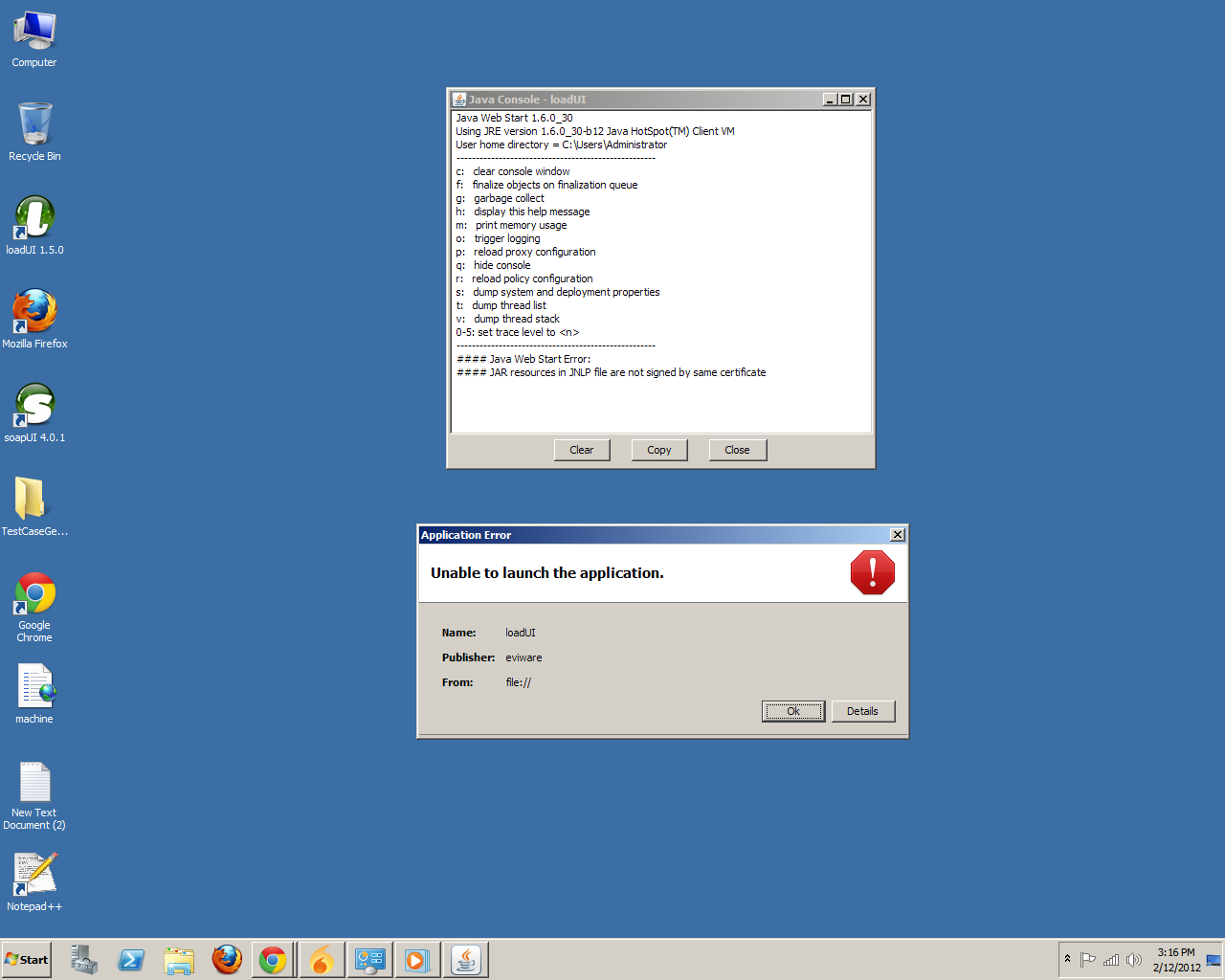
You're right, you shouldn't have to remove any custom certificates that you've manually added. Those two you've listed sound like they are unrelated to the issue. What error message (if any) are you getting? Are you having trouble during installation or application launch?
Regards,
Dain
SmartBear Software
charlesdwm wrote:
I believe the problem is that your installer does not have an option for people who need a pac script to connect to the internet. Therefore certain files do not get downloaded.
As the loadUI installer does not offer any support for PAC scripts you will need to manually enter proxy connection details to be able to install. The PAC script itself should provide the required proxy details. If you are unable to extract them yourself you might want to try asking your network admin for help with this. Unforutnately we are unable to provide a means of installing loadUI without an Internet connection, due to licensing restrictions of the JavaFX 1.3 platform, which is currently used by the loadUI application.
NukerDoggie wrote: By the way, I think it's irresponsible to tell users to "remove all trusted certs" in your steps to fix the problem. I've got important certs for crucial apps that must not be removed or else new problems will arise.
Here's a description of certs I have NOT removed. Are any of these harmless to remove?
International Business Machines Corporation (VeriSign Class 3 Code Signing 2004 CA)
TradeTrek.com (Thawte Code Signing CA - G2)
You're right, you shouldn't have to remove any custom certificates that you've manually added. Those two you've listed sound like they are unrelated to the issue. What error message (if any) are you getting? Are you having trouble during installation or application launch?
Regards,
Dain
SmartBear Software