We are building a new experience for our SmartBear Community.
This site is now read-only. You can still browse and search as usual. Learn More
This site is now read-only. You can still browse and search as usual. Learn More

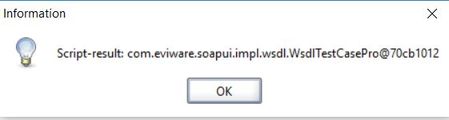

I believe that, that pop-up is only displayed, when running the individual script at test step level and the script return value is not null. e.g. if your script ends with a return statement (see the https://support.smartbear.com/readyapi/docs/soapui/steps/groovy.html docs for more info). Which, from my understanding and usage or Ready API only happens in development of tests.
When running the test case you do not get the pop-up.
If you really want to suppress the message you can try adding the following to the end of your Groovy Script test step:
return null
Though that does assume that you are not using the result for anything else.

As far as i know this pop-up gets displayed when you assigned some value to a varibale and didn't print or use it.
If you don't want this pop-up then use the value from that variable or log it.
But as Radford said, it is right that this pop-up will not going to disturb your end-to-end execution as this pop-up gets generated when you execute groovy scipt step standalone.