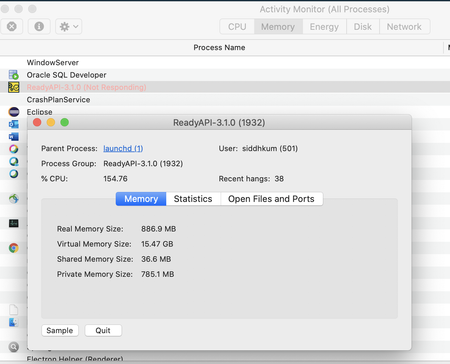
ContributionsMost RecentMost LikesSolutionsUnable to reopen ready api in MacOS. Says Error shows: Ready Api 3.2.5 quit unexpectedly SolvedRe: Ready API 3.1.0 keeps slowing down my Mac Thanks Rao for your suggestions.. 1. Keep open the project you are working on.--i have multiple projects which i need to work on parallely 2. Close the rest of the project.--i have multiple projects which i need to work on parallely 3. Use command line tool "testrunner.sh" to execute the tests--not sure where should i run this 4. Use the tool to design the tests. 5. You may even close the tool when not using instead of keep it running.--i dont want to take the risk of going through the same unresponsive application. so keeping it open. For now when I upgraded my ready api to 3.2.5 I am no longer facing any issues. Hence continuing as usual Re: Ready API 3.1.0 keeps slowing down my Mac so today for eg. I restarted my machine and opened ready API. Here are the stats on my activity monitor. It has hogged up all memory Ready API 3.1.0 keeps slowing down my Mac Ready API 3.1.0 keeps slowing down my Mac I have around 4-5 project xmls in my system and I only run them one at a time. I believe after regular use of around 3-4 days the application takes up my CPU and brings it to a snail's pace. I also tried updating the VMoptions but to no effect. is there a long term solution to this? Solved