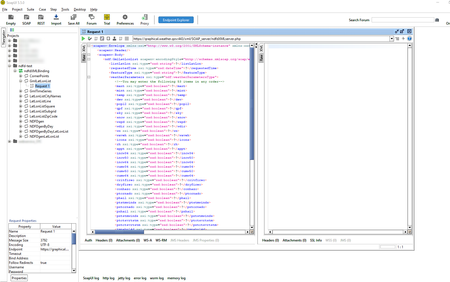
ContributionsMost RecentMost LikesSolutionsRe: property-expansion ? Thanks ! ! Now, I've got it: I need to double click on the binding element, the one with the double green arrow ! Tanks a lot again to make that clear. Re: property-expansion ? Yes, I did ... again (as I imported it before, following a tutorial on using SoapUI). Still, that creates a project with all the commands and I don't know where to get the panel properties-expansion (with tabs: Overview, Service Endpoints, WSDL Content, WS-I Compliance) ! Any hints about that, will be helpful. What do you mean by "clicking on the wsdl file" ? Re: property-expansion ? Thanks for the reply. I definitely did not click on the WSDL file ... as I don't understand what you mean by that ! I only use the WSDL file at the project creation. After that I don't use it anymore and I don't know what and where I could click as the WSDL file ! PS : I did say, I was new to SoapUI ! ;-) property-expansion ? In the documentation, the example for a Centralized Endpoint (exactly what I need) displays properties-expansion (with tabs: Overview, Service Endpoints, WSDL Content, WS-I Compliance). I can not manage to get to this windows ! How do I display this panel ? Any help would be apreciated, thanks. PS: I am quite new, to SoapUI, no doubt, I am missing something obvious. Solved