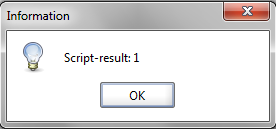
ContributionsMost RecentMost LikesSolutionsGroovy Script to assert multiple values in an XML response received on querying DB from SOAP UI I am trying to retrieve some data from db and based on the response, I have to pass or fail a test case. I have to do this each time I query the db I am able to make the connection to the db and get the response. However, not quite sure on how to assert the values from the response Tried to use Script Assertion but not able to figure out as I am completely new at this <Results> <ResultSet fetchSize="10"> <Row rowNumber="1"> <T1>TEXT1</T1> <T2>TASK1</T2> <T3>Value1</T3> <T4>xyz</T4> </Row> <Row rowNumber="2"> <T1>TEXT2</T1> <T2>TASK2</T2> <T3>Value1</T3> <T4>ABC</T4> </Row> </ResultSet> <Results> From the above response, on the first step I will have to assert that "TASK1" exists and the "Value1" exists with in the same set followed by the "TASK2" and "Value1" Please let me know if this is vague so that I can try to modify my query Re: How to run a bat file which is present in some other location on the Computer Thanks prashobkt I tried to execute the code As my file is in an external folder which is something like "C:/XXX/XXXX/file.bat", I included the same in the script as follows def cmd = "C:/XXX/XXXX/file.bat" def process = "$cmd".execute(); process.waitFor(); When this script is run, I got a dialog box something like Script-result:1 (screenshot attached) . However I couldn't see that file is opened. Can you please help me if you have any idea on this? Thanks Sunny How to run a bat file which is present in some other location on the Computer Hi I have a set of test cases that I need to run for every execution. To receive valid responses, I need to tunnel to the ports using a bat file which I need to open manually each and every time Is there any way I can open the bat file using Groovy Script before I start the execution in SOAP UI? Thanks Sunny