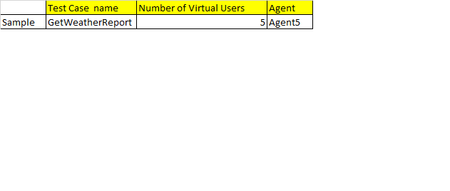
ContributionsMost RecentMost LikesSolutionsRe: Option to have Grid like feature to add multiple test cases in a scenario Is it available in Ready API 1.4.1 ? Modify the Data loop functionality - Adding Random data selection from multiple Data Sources We have test cases where we need two or more data sources with random values from both data source , currently this is how Data source/ Datasource loop works in SOAP UI if there are multiple data sources. DataSource1 Dataource2 Request DataSourceLoop2 ( Datasource2>Request) DataSourceLoop1( Datasource1>Dataource2) Nice to Have : Why dont we have a check box for random data selection in configuration of each data source . When we do this we will be able eliminate the concept of inner/outer Datasourceloops. Option to have Grid like feature to add multiple test cases in a scenario We have 100+ SOAP UI test cases that needs to be tested together to validate our infrastructure capacity. I went through the Ready API Load UI NG and I can see that only one test case can be added to a scenario. Adding one test case to one scenario is not a good option for us. Nice to Have :It would be nice if we have grid like option for a scenario where we can add mulptile test cases to the same scenario ( please see the attached image). Question on load generation for each test step inLoadUI pro Hello I am new to LoadUIpro and got a question. Question 1: I have 50 webservices to be tested and I have created one test case with 50 SOAP test requests in SOAP UI pro. Loaded the test case in LoadUIpro using the SOAPUI Runner component.I can see 50 Test steps ( So far good ). Since each test step requires different requests/min, how do I achieve this in LoadUI pro? Because I have seen the generators dont give any info on what is the volume it going to give to a particular step. Just trying to understand real time situation in which few services are consumed more and few less