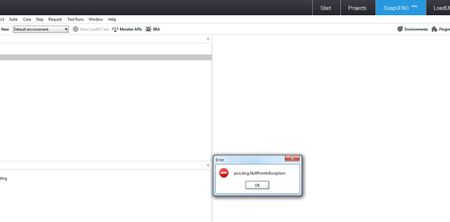
ContributionsMost RecentMost LikesSolutionsParameterise Test Step Name Is it possible to parameterise the actual test step name in a test? See attachment for example (doesn't work) Can the File Attachment functionality encode a file to base64? I have attached a file to a REST request to upload to an application and it uploads it ok however when I open the file in the application it says the file has been corrupted and I can't view it. The file needs to be base64 encoded which is why I think it is giving this message. Is it possible to make sure the file is encoded as base64 when attaching it to a request? Re: Memory Issue with encoding a file to base64So it encodes the file ok and sends it in the request but when I run the automated test through Jenkins I get an 'out of memory' error on the step that is doing the encoding. I researched online and saw a potential solution where you use an outputstream for base64 instead and read in the bytes of the file in parts if that makes sense. I just can't get my head around coding it. Any ideas? ThanksMemory Issue with encoding a file to base64 Hi, I am able to encode a file to base64 using groovy script however it gives memory issues. Is there a way to do this so memory is not affected? I would like to achieve this using groovy, not using the attachments functionality in the request Below is the code I am currently using that works but with memory issues. Example file location: C:\Users\Public\Pictures\Sample Pictures\Desert.jpg import org.apache.commons.codec.binary.Base64; String filePath = testRunner.testCase.testSuite.project.getPropertyValue("filePath") File fileName = new File(filePath); String encodedBase64 = null; FileInputStream fileInputStreamReader = new FileInputStream(fileName); byte[] bytes = new byte[(int) fileName.length()]; fileInputStreamReader.read(bytes); encodedBase64 = new String(Base64.encodeBase64(bytes)); fileInputStreamReader.close(); testRunner.testCase.testSuite.project.setPropertyValue("encodedFilePath", encodedBase64) Thanks, Rory Re: Is it possible to import a project created in a basic free version of SoapUI into Ready API? It was an issue with one of the testcases in the project. The step was disabled and unable to be used because the wsdl for it had been removed. You can still import the project if this happens into the free version but ReadyAPI wouldn't and this was reported in the error log tab. So I removed this step from the testcase (or i could have imported the wsdl for it so it worked), tried importing again and it worked Re: Is it possible to import a project created in a basic free version of SoapUI into Ready API? Figured it out looking at the error logs! Re: Is it possible to import a project created in a basic free version of SoapUI into Ready API? Hi Samy, If I import a project in Ready API that was created in a basic version of SoapUI I get the following: Is it possible to import a project created in a basic free version of SoapUI into Ready API? I am unable to import a project from the free version of SoapUI into the new Ready API application. Is there a workaround or solution to this? I get a null pointer exception error Thanks SolvedRe: [Resolved] Pass a variable into context.expand codeWorks! Thanks [Resolved] Pass a variable into context.expand codeI have a script assertion in a teststep. I want to get the response xml from the previous step to parse. The code to do this is currently like this: def currentTestStep = context.getCurrentStep().getLabel() def currentStepInd = context.currentStepIndex def previousTestStep = context.testCase.getTestStepAt(currentStepInd - 1) previousTestStep = previousTestStep.name def response = context.expand( '${previousTestStep#ResponseAsXml#//Row[1]}' ) def records = new XmlSlurper().parseText(response) Have I passed the previousTestStep variable in correctly? Thanks