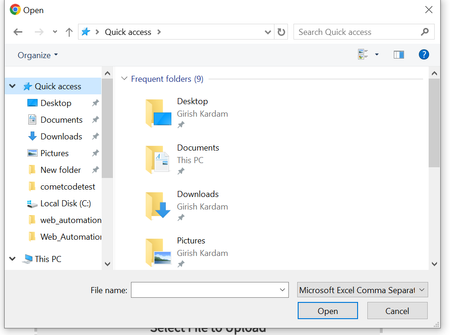
ContributionsMost RecentMost LikesSolutionsFile Upload Dialog not identified on BitBar. File Upload Dialog not identified on BitBar with provided properties while same is working fine when script run locally using Test Complete Error Message: Unable to find the object OpenFile("C:\\Users\\selenium\\Desktop\\uploaded_files\\OTCBulkUpload.csv", "Microsoft Excel Comma Separated Values File"). See Details for additional information. 18:08:06 Normal 14.44 Execution of Mobile Device scenarios are failing in integration with bit bar Hi, We are trying to run test scenarios on Bit bar using Test Complete. For Desktop it's working fine, but when tried to run scenarios on Mobile/iPad getting below error. Reason: com.testdroid.api.APIException: Failed to submit test run! No device model matching pattern 'Apple iPhone 13 A2633 15.2' available There was an attempt to run the remote browser with the following capabilities: { "appium:automationName" : "XCUITest", "appiumVersion" : "2.0.0", "bitbar_device" : "Apple iPhone 13 A2633 15.2", "bitbar_findDevice" : "false", "browserName" : "Safari", "platformName" : "iOS" } The hub URL: https://eu-mobile-hub.bitbar.com/wd/hub How to handle "Manage Preferences" cookies popup on mobile devices Hi All, I am getting cookies popup with Manage Preference and Accept All on Android device chrome browser. This make my script fail at runtime. Is there any way to handle this. I already added 'autoDismissAlerts' : 'true', in capabilities but not working.