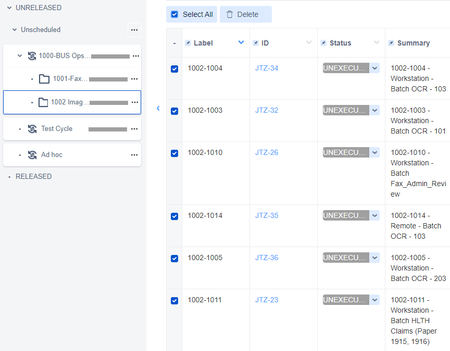
ContributionsMost RecentMost LikesSolutionsRe: Executing test steps in bulk I agree with Jaugust. I have just manually updated a hundred or so tests to pass as the tests were executed elsewhere. How tedious is that? The tools button is greyed out on the STE page - how tp enable it? Re: Sorting tests for execution in a folder Unfortunately, I spoke too soon. Components doesn't really sort, either. Or maybe it does, but the base ID seems to sort first, Being unique, it is controlling. I will have to upload exactly in the sequence I want. And keep grizzling to SmartBear. Re: Sorting tests for execution in a folder Brilliant. Why does SmartBear make it so hard? Re: Sorting tests for execution in a folder Thanks. I will try that. Re: Sorting tests for execution in a folder Thanks for you comments. I have tried labels, but even though they show as sortable, the don't sort. It seems that the test execution sequence is only by ID. So, you virtually have to load the test in the sequence you want to execute, and that is not always going to work either. Sigh. Does SmartBear read these posts and react to them? Sorting tests for execution in a folder I have imported a number of tests in Zephyr Squad Cloud: I would like to sort by Summary, but I can't (no sort arrow). So I added Labels, which does have a sort arrow. But when I click on the arrow, incorrect sorting occurs. One way: The other way: Different but not sorted. Back in the old days there was a Reorder Executions, but it seems to be gone away: Any help would be greatly appreciated!! Solved