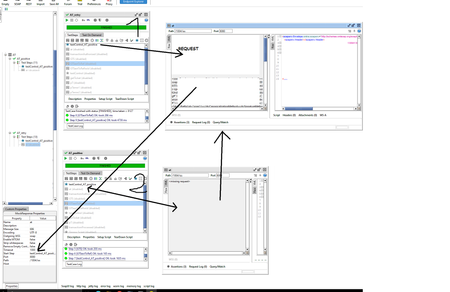
ContributionsMost RecentMost LikesSolutionsHow to stop the listener in SoapUI after running a test case with a test step that is a mock? I am running the test case **AT_retry**, which has a mock as a test step called **at** (executed after the step indicated in the **Start Step**). The mock **at** correctly captures the request. Then I run another test case **AT_positive**, which also has the mock **at**. This one, however, does not capture the request because SoapUI does not stop listening on the mock **at** that was started in the first test case, even though the test case **AT_retry** has already completed. How can I force SoapUI to stop listening after the test case ends? Currently, the only solution is to restart SoapUI. loadTestRunner - how to set parameters using groovy script Hi, I'd like to run load tests in soap using groovy script (as test step or Setup Script - which is better?) I can already set threads and startDelay but I don't know how to set strategy and specific options for each strategy (for example Burst Delay or Burst Duration). I'm stuck with below code: import com.eviware.soapui.impl.wsdl.loadtest.* import com.eviware.soapui.impl.wsdl.loadtest.strategy.* import com.eviware.soapui.impl.wsdl.panels.support.* def loadTest = testRunner.testCase.testSuite.project.getTestSuiteByName("Load").getTestCaseByName("testCase").getLoadTestByName("loadTestSelect") def loadTestRunner = new WsdlLoadTestRunner(loadTest) loadTestRunner.loadTest.setThreadCount(30) loadTestRunner.loadTest.setStartDelay(2) loadTestRunner.loadTest.setLoadStrategy("Simple") loadTestRunner.start(true) loadTestRunner.waitUntilFinished() setThreadCount and setStartDelay works properly, but setLoadStrategy doesn't. I have an error: groovy.lang.MissingMethodException: No signature of method: com.eviware.soapui.impl.wsdl.loadtest.WsdlLoadTest.setLoadStrategy() is applicable for argument types: (String) values: [Simple] Possible solutions: setLoadStrategy(com.eviware.soapui.impl.wsdl.loadtest.strategy.LoadStrategy), getLoadStrategy() error I tried also find something (any expamples) in documentation - but I didn't. I want to set these options: Thanks for any suggestions. Re: Dark theme It's a good question 🙂