Soapui equivalent for curl -F (multipart/form-data)
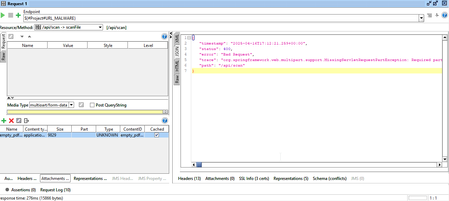


To integrate your `curl -F file=@...` command into SoapUI for binary file uploads, go to the **"Attachments" tab** of your REST Request. Add your file and, most importantly, in the **"Part" column** for that attachment, enter **`file`**. Ensure the "Type" is correct (`application/pdf`) and the request's "Content Type" is `multipart/form-data`. This explicitly names the file part as expected by your API, resolving the "Required part 'file' is not present" error.