Forum Discussion


maddzy
9 years agoOccasional Contributor
Hi Rao,
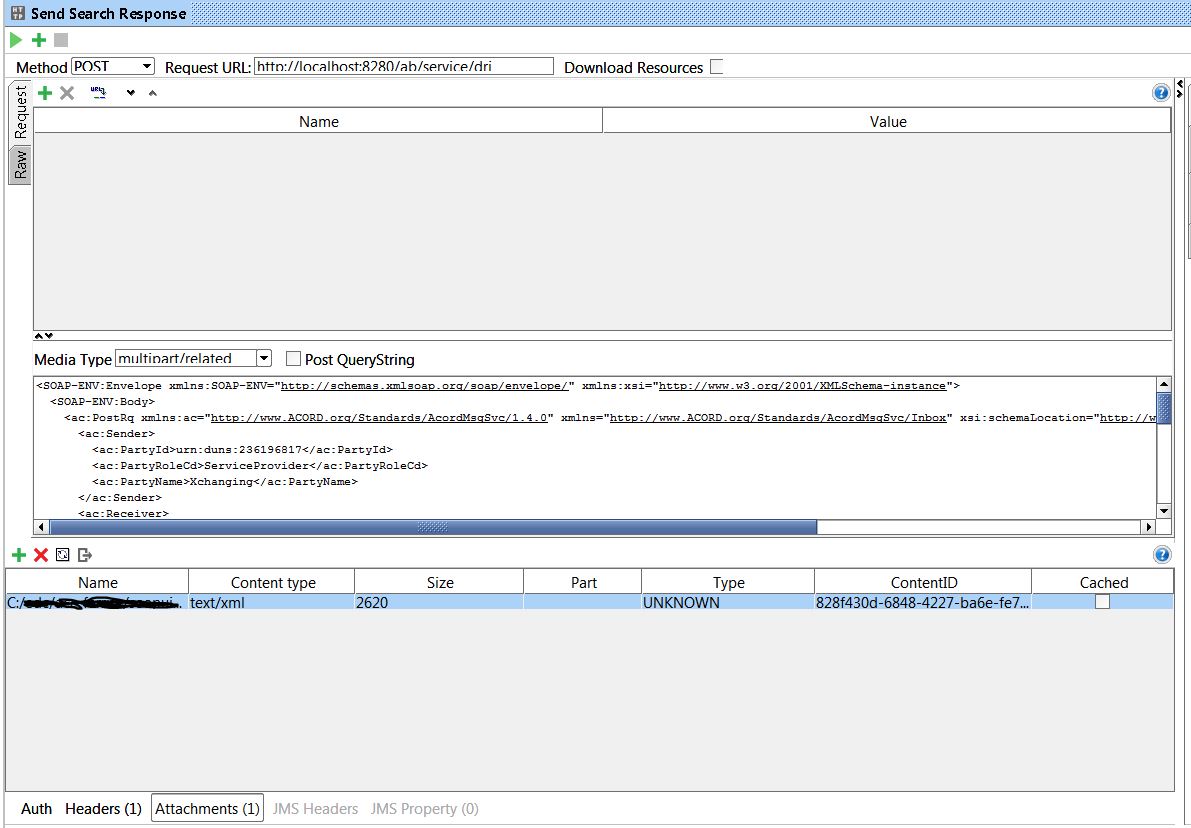
I have tried to type in "multipart/related" manually, but no attachment is actually added when you do that.
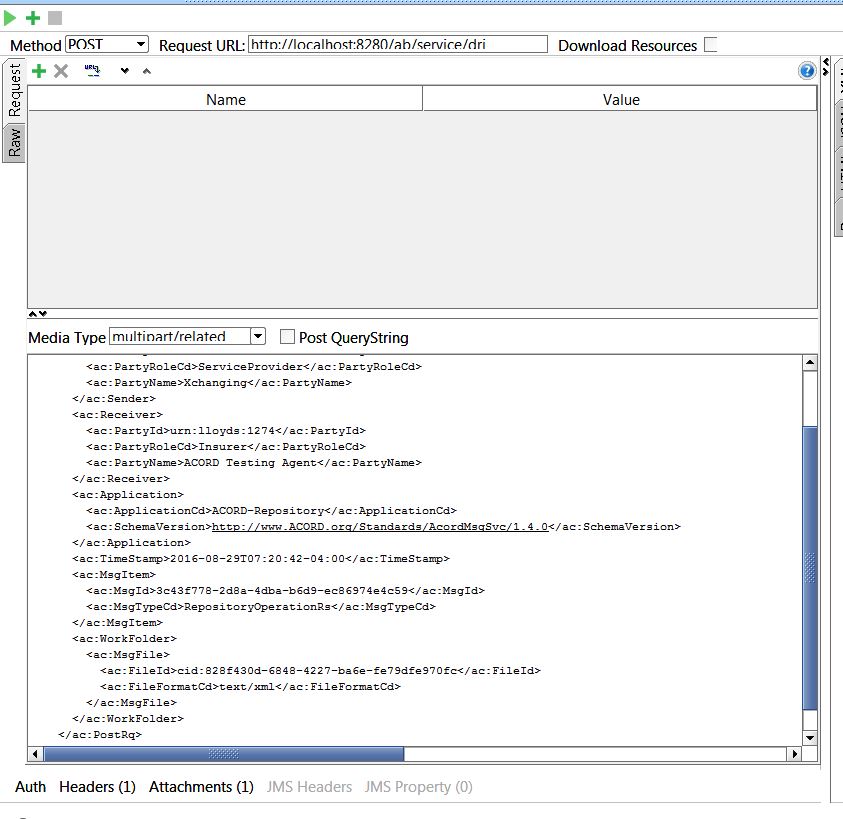
I have attached a screenshot where I have typed in "multipart/related" and here is the raw output of that request:
POST http://localhost:8280/ab/service/dri HTTP/1.1
Accept-Encoding: gzip,deflate
Content-Type: multipart/related;charset=UTF-8
Content-Transfer-Encoding: binary
Content-Length: 1467
Host: localhost:8280
Connection: Keep-Alive
User-Agent: Apache-HttpClient/4.1.1 (java 1.5)

<SOAP-ENV:Envelope xmlns:SOAP-ENV="http://schemas.xmlsoap.org/soap/envelope/" xmlns:xsi="http://www.w3.org/2001/XMLSchema-instance">
  <SOAP-ENV:Body>
    <ac:PostRq xmlns:ac="http://www.ACORD.org/Standards/AcordMsgSvc/1.4.0" xmlns="http://www.ACORD.org/Standards/AcordMsgSvc/Inbox" xsi:schemaLocation="http://www.ACORD.org/Standards/AcordMsgSvc/1.4.0 AcordMsgSvc_v-1-4-0.xsd">
      <ac:Sender>
        <ac:PartyId>urn:duns:236196817</ac:PartyId>
        <ac:PartyRoleCd>ServiceProvider</ac:PartyRoleCd>
        <ac:PartyName>Xchanging</ac:PartyName>
      </ac:Sender>
      <ac:Receiver>
        <ac:PartyId>urn:lloyds:1274</ac:PartyId>
        <ac:PartyRoleCd>Insurer</ac:PartyRoleCd>
        <ac:PartyName>ACORD Testing Agent</ac:PartyName>
      </ac:Receiver>
      <ac:Application>
        <ac:ApplicationCd>ACORD-Repository</ac:ApplicationCd>
        <ac:SchemaVersion>http://www.ACORD.org/Standards/AcordMsgSvc/1.4.0</ac:SchemaVersion>
      </ac:Application>
      <ac:TimeStamp>2016-08-29T07:20:42-04:00</ac:TimeStamp>
      <ac:MsgItem>
        <ac:MsgId>3c43f778-2d8a-4dba-b6d9-ec86974e4c59</ac:MsgId>
        <ac:MsgTypeCd>RepositoryOperationRs</ac:MsgTypeCd>
      </ac:MsgItem>
      <ac:WorkFolder>
        <ac:MsgFile>
          <ac:FileId>cid:828f430d-6848-4227-ba6e-fe79dfe970fc</ac:FileId>
          <ac:FileFormatCd>text/xml</ac:FileFormatCd>
        </ac:MsgFile>
      </ac:WorkFolder>
    </ac:PostRq>
  </SOAP-ENV:Body>
</SOAP-ENV:Envelope>
Thanks for your replies, I appreciate the suggestions.
Dave

nmrao
9 years agoCommunity Hero
1. Is this request in a Test Suite -> Test Case -> Test Step?
2. Is the attachment type right?
<ac:FileFormatCd>text/xml</ac:FileFormatCd>
3. Can you show the screen shot by clicking on Attachment(1)?
4. Is cid matching?
2. Is the attachment type right?
<ac:FileFormatCd>text/xml</ac:FileFormatCd>
3. Can you show the screen shot by clicking on Attachment(1)?
4. Is cid matching?
- maddzy9 years agoOccasional Contributor
Hi,
1. Yes it is.
2. Yes that is the correct type.
3. See attached.
4. Yes the cid is matching.
Dave
- nmrao9 years agoCommunity Hero1. ContentId is usually the filename.
2. In the screen shot, Part is empty. Actually this should match in your request. Can you please try clicking it?- maddzy9 years agoOccasional Contributor
Hi,
1. Yes, I set the ContentId manually. It is normally the filename, but I am using ACORD message standard which uses UUID for content id.
2. Clicking Part gives an empty dropdown list.
Dave