Forum Discussion

Fabiolus's avatar
Fabiolus
Occasional Contributor
17 years ago

Reading from Spreadsheet not transfering proper format

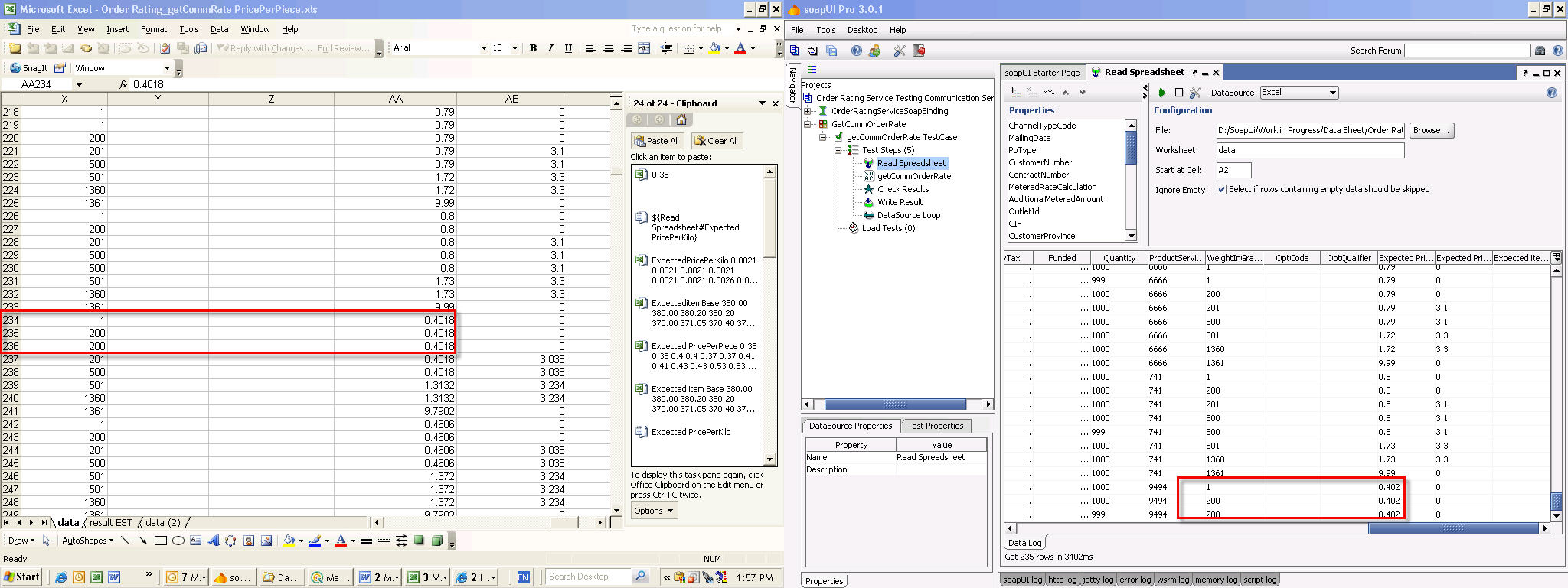
I have a spreadsheet that contains data being sent to a wsdl. On my original spreadsheet the ammount contains 4 digits after the decimal (1.1234)

When uploading the information using the DataSource Step I noticed that the data is rounded to 3 decimal. E.g "0.4018" form the spreadsheet is showing "0.402" after uploading rows to the table found in the DataSource Step.

Is there a setting in SOAPUi that will make sure to keep the same format?

Thank You
Fab

10 Replies

  • M_McDonald's avatar
    M_McDonald
    Super Contributor
    I don't know if there is a setting to change the available precision, but if you format the spreadsheet cells as Text, you should get the entire value.
  • M_McDonald's avatar
    M_McDonald
    Super Contributor
    Actually, it seems if I format the cell to the precision I want, I get that same precision in the DataSource.
  • Fabiolus's avatar
    Fabiolus
    Occasional Contributor
    I tried different scenario to make sure and still unable to get the same data from my spreadsheet


    I even changed the format on the spreadsheet to "text" and the upload still showed only 3 digits after the decimal.

    I created a new spreadsheet excel with only one sheet to make a test and same result.

  • M_McDonald's avatar
    M_McDonald
    Super Contributor
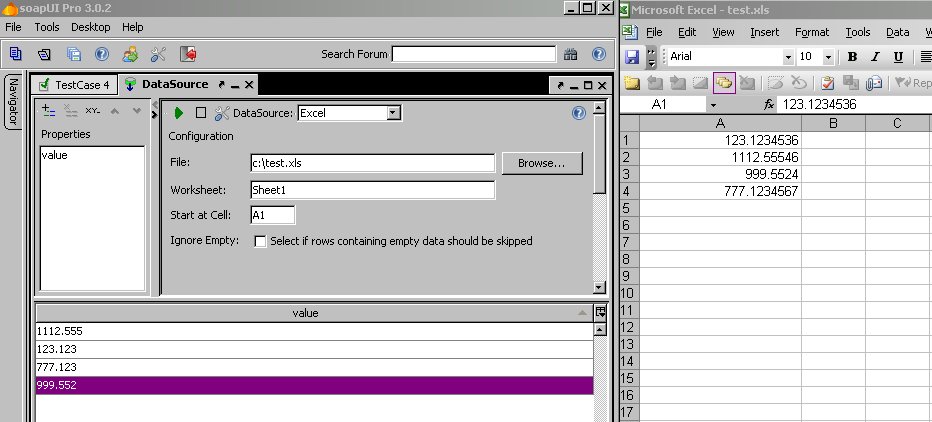
    The answer is beyond me then, but attached is a screenshot of my spreadsheet and the DataSource results in soapUI.
  • Fabiolus's avatar
    Fabiolus
    Occasional Contributor
    mhhh the only thing I see different is that you have version 3.0.2 SOAP UI

    im still running 3.0.1 Ill update my version and see what happens.


    Fab
  • Fabiolus's avatar
    Fabiolus
    Occasional Contributor
    I was able to have more then 3 decimal !!!! but guess what it only work when you have only one row on your spreadsheet. If you have let say 100 rows it will round it up.

    Fab
  • M_McDonald's avatar
    M_McDonald
    Super Contributor
    Interesting... I am not having a problem with rounding - but the DataSource is sorting my data!
  • Fabiolus's avatar
    Fabiolus
    Occasional Contributor
    You are right!

    But see your screenshot, some of your numbers are missig data where you had 5 digits on your excel spreadsheet now showing only 3 on your SOAPUI app.

    This is what I dont understand it cuts all digit to only 3 after the decimal.....frustrating!!!

  • M_McDonald's avatar
    M_McDonald
    Super Contributor
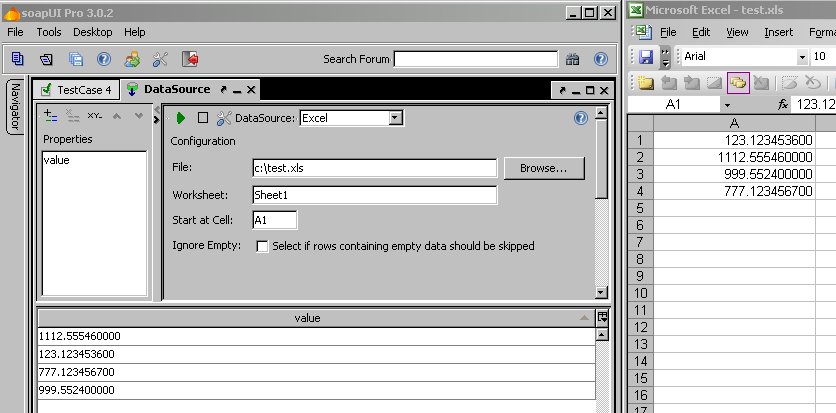
    Sorry, I forgot to apply the format myself! But sorting problem still exists.

    See new screenshot.
  • M_McDonald's avatar
    M_McDonald
    Super Contributor
    Try a custom cell format in Excel :

    0.#########

    This will show only the number of digits that exist after the decimal. Only downside is that you get a decimal even if you enter an integer in the cell (eg., 77 will show 77.)