question about dynamically creating variable value
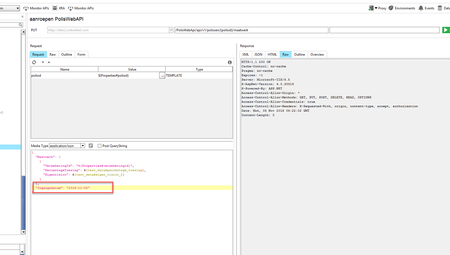


Hi,
thanks that worked! Thanks a lot for your code.
Now, is there also a possibility to manipulate the date with -1 day?
So I can run the same test but now with a date = "yesterday" ?

mgroen2: That is possible, but that is going to increase the complexity of the in-line groovy script. Also, if you ever need to re-use this in another request, that will mean copy and pasting the same code over and over. One way I get around this is to put in a groovy script test step that writes to a properties step, and I reference the data I generate from there.
The groovy script you are looking for inline, though, is:
${= import static java.util.Calendar.*
      def now = Calendar.getInstance(TimeZone.getTimeZone('GMT'))
	String TimeStamp;

	now[DAY_OF_WEEK] =  now[DAY_OF_WEEK] - 1;

	Timestamp = now.format("yyyy-MM-dd");
	// log.info(Timestamp);
	return Timestamp;}
As you can see, that can insert a lot of groovy script into the request that you otherwise might not want to see. And if you need to re-use it, changing it later may get out of hand. If you write a groovy script test step and a properties step (using the name of "Properties" for it in this example, you can use this snippet:
import static java.util.Calendar.*

def datetimeDayFunct(int offset)
{
	// In: Offset, in days
	// Out: Return generated time based off of now + offset in days.
	def now = Calendar.getInstance(TimeZone.getTimeZone('GMT'))
	String TimeStamp;

	now[DAY_OF_WEEK] =  now[DAY_OF_WEEK] + offset;

	Timestamp = now.format("yyyy-MM-dd");
	return Timestamp;
}

def propertiesStep = context.testCase.testSteps["Properties"];

propertiesStep.setPropertyValue("yesterday", datetimeDayFunct(-1));
propertiesStep.setPropertyValue("tomorrow", datetimeDayFunct(1));
This will provide you a snippet of code that, if you ever need to generate a new property, you can append and add to it. Your time generation is in one, central place and you can easily maintain it there.
Hi groovyguy,
first of all, sorry for the late reply.
Could you please assist me?
I have created an entry "Groovy script". Inside that I copied your script.
Then, when I press run, I get an error (see screenshot):

You reference a test step in the line:
def propertiesStep = context.testCase.testSteps['Properties']
But looking at your test case in the navigator panel, you do not have a test step called "Properties", thus the above line returns null.
For your code to work you will need to create a properties test step called "Properties", and I think you may also have to pre-create your properties "yesterday" & "tomorrow" (Not 100% sure off the top of my head, give it a try both with and without).