Change the UI style of ReadyAPi 4.0?


 Staff
StaffHi everyone,
We’ve rolled out a patch update for ReadyAPI (4.0.1) that addresses the issues reported in the editor related to spacing, the assertions panel, and endpoint editing.
We’re also continuing to review the request/response editor panels and the Workspace Navigator for additional improvements based on your feedback. Those updates will be included in upcoming releases as we complete the work.
We’ll also provide detailed documentation outlining the updates and changes so you can review them before upgrading.
We appreciate your patience and continued feedback as we introduce these improvements.

I have 4.0.1 this UI is still garbage. I resized window panes to see info then tried to resize back and they will not resize back. I closed app re-opened it it saved the sizing settings so now I am stuck with garbage app that I cannot see the things I need to see. Java is worst language for UI front-end development. It's great for backend but this is a garbage app now. if it was a piece of paper I would crumple it up and throw it away.

I upgraded to ReadyAPI 4.0.1
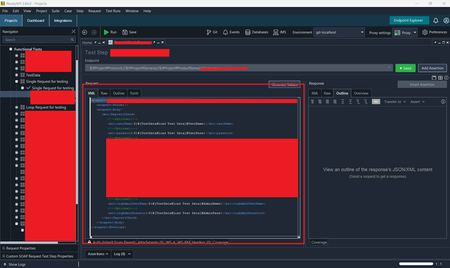
In below screenshot;
New UI is awful, I agree all the comments here. But what I mentioned above is about functionality of the tool. Imagine you're building a test case with multiple test steps. Each test step is getting some values from the previous ones. You need to run the steps one by one to make sure each of them working as expected.
4.0.1 runs steps individually but doesn't show if it passes or fails. This is absolutely unacceptable. thomas_hurley

Version 4.1.0 still does not appear to fix this issue.
When running the full test suite, some test steps fail. After opening the failed test step and updating/rerunning it, the assertions are evaluated again and now pass successfully.
However, the status icon of the test step in the left navigation panel is not updated accordingly. The test step continues to be marked as failed even though all assertions are passing after the rerun.
This makes it difficult to determine the actual test result and suggests that the test step status is not being refreshed correctly after the assertions are re-evaluated.