We are building a new experience for our SmartBear Community.
This site is now read-only. You can still browse and search as usual. Learn More
This site is now read-only. You can still browse and search as usual. Learn More


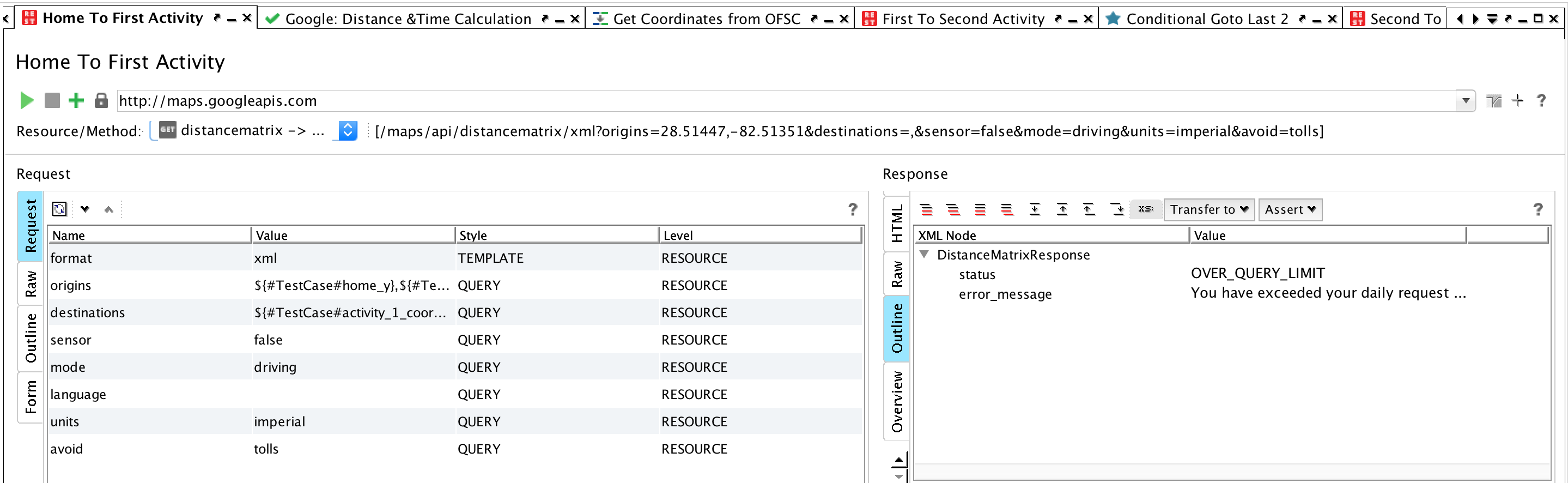
I found a solution to the Google Maps authentication thanks to the SOAPUI Cookbook (kudos to you Rupert). The issue I was having was that I was using the template Google Maps REST call that I got as a packaged download. It was a great introduction to Google; however, as a package, it did not allow for additional fields to be added.
To solve the problem, I created a new REST call using the APIs that were part of the download package. With the newly created REST call, it was easy to add the necessary additional fields including one for "key". Hope this helps someone else who downloads the Google Maps API package and hits a wall with authentication.
-Will
As an alternate path to appending the API Key to the end of the REST call, I've been looking at creating an Oauth 2.0 connection.
What I'm missing on this path is the Redirect URI. I don't know what to put there and don't see that anywhere in the forum or web.
I've gotten the Client ID and Client Secret from Google and found the Authorization URI (https://accounts.google.com/o/oauth2/auth) and Access Token URI (https://accounts.google.com/o/oauth2/token).
The last piece appears to be the Redirect URI and I'm not sure what to load in that field with SOAP UI. Maybe this is a bad path to go down or maybe it will work fine with a good Redirect URI.
Thanks,
Will
I found a solution to the Google Maps authentication thanks to the SOAPUI Cookbook (kudos to you Rupert). The issue I was having was that I was using the template Google Maps REST call that I got as a packaged download. It was a great introduction to Google; however, as a package, it did not allow for additional fields to be added.
To solve the problem, I created a new REST call using the APIs that were part of the download package. With the newly created REST call, it was easy to add the necessary additional fields including one for "key". Hope this helps someone else who downloads the Google Maps API package and hits a wall with authentication.
-Will