Forum Discussion

JensG's avatar
JensG
New Contributor
12 years ago

HTTP Monitor Order

I used the HTTP monitor to record http SOAP messages. Now I found that the order within the traffic log isn't in the same order as SOAP Messages sent to the Server. How can I get a traffic log showing the requests in the "right" order? (Sorting timestamp doesn't work because there are more than one messages the same second).

Regards, Jens

2 Replies

  • GiscardN's avatar
    GiscardN
    Frequent Contributor
    Hi,

    If you sort the traffic by the 'Count' column (the leftmost one) , that should give you the order in which the requests are logged in the monitor.

    Regards,

    Giscard
    SmartBear Support
  • JensG's avatar
    JensG
    New Contributor
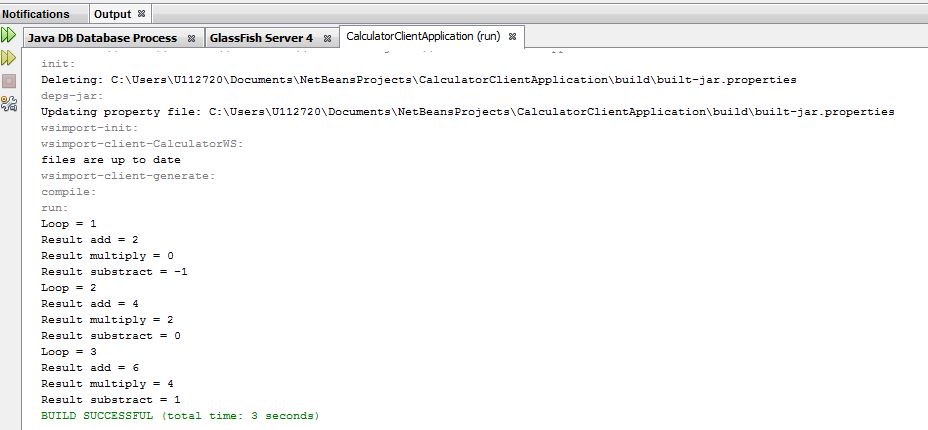
    Unfortunately not. The order of Count numbers isn't the same order in which the Soap requests went to the Server! For example:

    SOAP requests (and answers): add . multiply . substract . add . multiply . substruct . add . multiply . substract
    Traffic log: add . multiply. substract . add . substract . add . substract . multiply. multiply.

    So is this a bug or do I have to set a configuration Option within soupUI?

    See Screen shots.

    Regards, Jens