Forum Discussion

ArmandsBruns's avatar
ArmandsBruns
Frequent Contributor
14 years ago

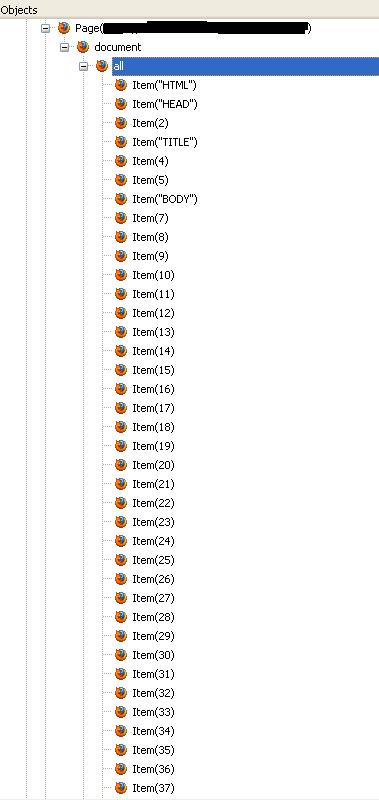
Sometimes can't show FireFox 12.0 objects in the TC8 objects tree

Hi,

When the script run test application Firefox, TC8 object tree didn't show all object. If I close the firefox application manualy and run it again manualy the TC object tree show all object corretly.


I compare objects trees:

1) when script run FireFox, there is one window("MozillaDropShadowWindowClass", 1) in the object tree

2) when run FireFox manual there are two window("MozillaDropShadowWindowClass", 1) and window("MozillaDropShadowWindowClass", 2)


I put the sys.referesh and daley after the script run Firefox application, but that didn't help. MAyBe you have any ideas about this problem??



15 Replies

  • ArmandsBruns's avatar
    ArmandsBruns
    Frequent Contributor
    Whether problem with FF cache

    1)Run TC8 scripts.

    2) Can't see objects'(attachment "script_run_ff").

    3)Take the object from the list - can,t see  properties(attachment "script_run_ff_obj_property")

    4)Open at the FireFox: Tool -> Options

    Then Advance -> Network. The Firefox cache = "0MB" (attachment "ff_cache_form")

    5)Press the button "Clear Now"

    6)Check TC8 object tree. We can see all object with properties (attachment "TC_object_after_cleaning_cache")
  • ArmandsBruns's avatar
    ArmandsBruns
    Frequent Contributor
    My scripts run Firefox like this for example

    Set firefox = TestedApps.firefox.Run(1)

    firefox.waitpage("*", 3000).toUrl("www.google.lv")


    The second way i try to add url into parametr under testapp in the TC.


    TestesApps.Firefox.Run(1)


    The TC open Firefox app with url

    The problem is the same


    Maybe i must to try shell for Firefox runing?? :(
  • irina_lukina's avatar
    irina_lukina
    Super Contributor

    Hi Armands,


    Maybe i must to try shell for Firefox runing?? :(


    I think, the situation doesn't depend on the approach used to launch FireFox.


    I've consulted with our development team, and they say that it might be a bug. To help them investigate the problem, please follow the steps below:

    1. Contact our Support Team.

    2. Provide them with a sample web page that they can use to reproduce the described behavior.


    Thanks.

  • Ravik's avatar
    Ravik
    Super Contributor
    I have TestComplete 8.60 and Mozilla 15, I search  Patches for find the objects in mozilla browser but din't find it on your forum,

    Could you help me how I can do it.


    Thanks

    Ravik
  • VLapidus's avatar
    VLapidus
    Frequent Contributor
    Firefox 15 is supported only in TestComplete 9. You can find the patch here